Important gets your attention.
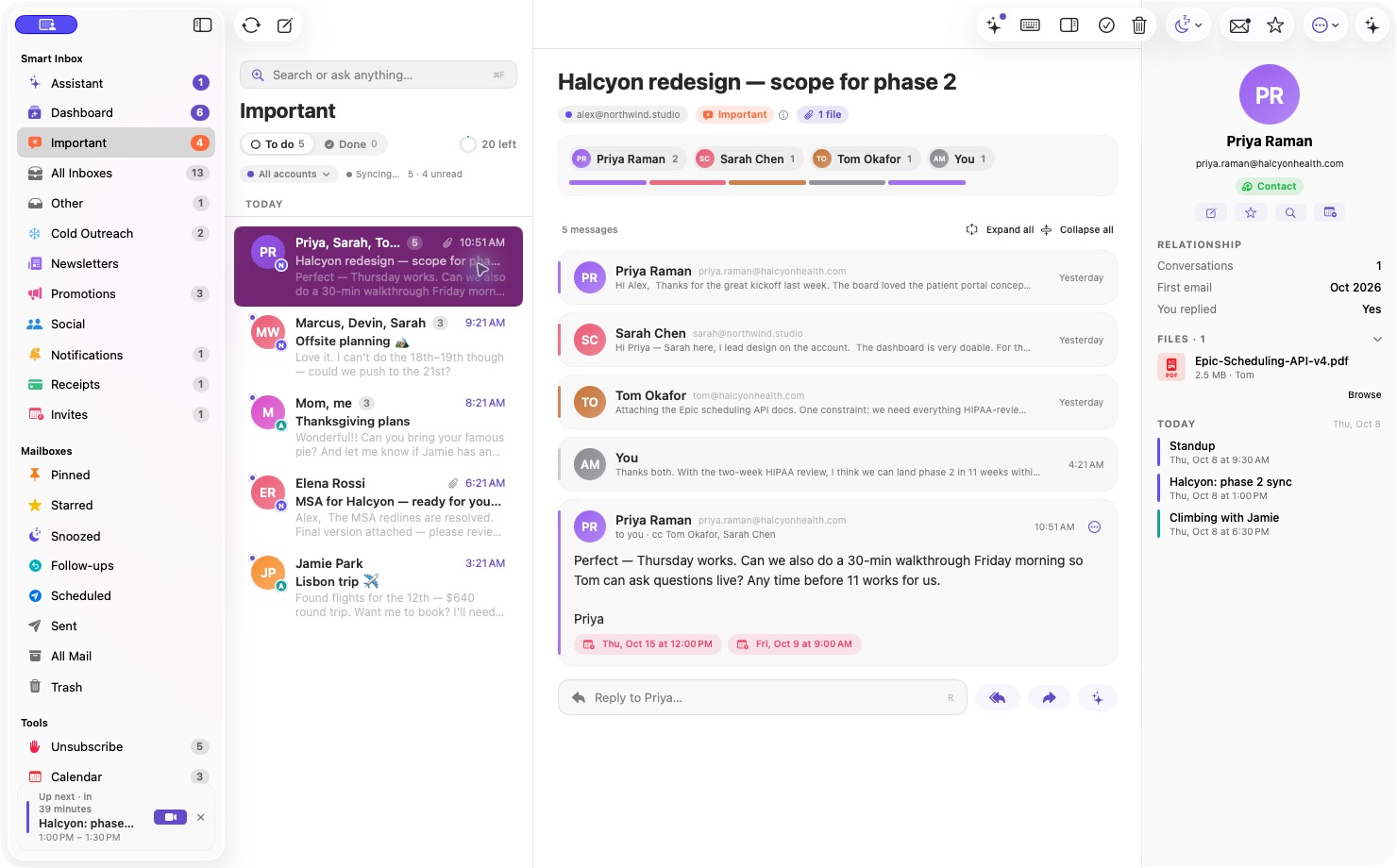
Smart sorting separates real conversations from newsletters, notifications, and cold outreach. See why something was sorted. Correct it once, and Lumen remembers.
 lumen
lumen⌘ MADE FOR MAC · CONNECTED TO GMAIL
Your inbox shouldn’t be your to-do list.
Lumen finds what matters, clears the noise, and helps you move on.
macOS 26+ · Public release coming soon
LESS SORTING. MORE LIVING.
You already have an email address.
You deserve a better place to use it.
Smart sorting separates real conversations from newsletters, notifications, and cold outreach. See why something was sorted. Correct it once, and Lumen remembers.
Clear a conversation, snooze it for later, or set a follow-up. Your dashboard shows what needs a next step instead of asking you to scan the whole inbox again.
A native app with keyboard shortcuts, clear conversations, and your calendar nearby. Ask the assistant to prepare a reply, then review it before sending.
A SMALL TOUR OF A BETTER DAY
See smart sorting, clear conversations,
reply drafting, and your calendar in the app.
YOUR INBOX IS PERSONAL
Mail syncs directly between your Mac and Google. Credentials stay in your macOS Keychain. The initial public release uses on-device intelligence on supported Macs. Mail content stays between your Mac and Google.
How Lumen handles your dataSIMPLE PLANS. SAME CALMER INBOX.
All the core tools, on either plan.
Upgrade when you need more sends.
LUMEN FREE
For a lighter email day.
LUMEN PLUS MORE ROOM
For wherever the conversation takes you.
Free sends reset each calendar month at midnight UTC and are shared across your connected accounts. Undoing a send doesn’t use a send. On-device intelligence requires a supported Mac.
No. Connect your existing Gmail or Google Workspace accounts. Your mail stays in Gmail and remains available in other clients.
Lumen brings an attention dashboard, explainable sorting, a dedicated unsubscribe center, clear conversations, and calendar tools into a native Mac app. It’s built around deciding what to do next and finishing the work in your inbox. Try the free plan to see whether that workflow fits you.
You can keep reading and organizing your mail. Sending pauses until the next calendar month, or you can choose Plus for $4.99/month. Plus removes Lumen’s send limit; Google still applies its own daily and anti-abuse limits.
Your subscription belongs to your plan account and works on one Mac at a time. After purchase, we email an activation code. Sign in and activate it in Settings → Plan. Renewals are automatic. If you replace your Mac, move the license from the same settings page; the previous Mac returns to the shared free allowance.
Redeem a gift code in Settings → Plan to receive complimentary Plus access for the period attached to the code. No payment card is required and gift access does not turn into a paid subscription. If you already pay for Plus, cancel that subscription separately to stop billing.
Lumen needs to be running to send scheduled mail and process reminders. Keeping it in the menu bar works. If it was closed, due items are processed when you next open it.
Public release is being prepared. Google authorization verification and Apple signing need to finish before the public download becomes available. This page does not collect payments or offer an unverified download.
COMING TO YOUR MAC
Lumen is getting ready for public release.
Explore the demo today. Start free when it launches.